FX3 on a Gimbal: 4+ Extra Hours of Power With a Cheap Power Bank Mod
November 9, 2026
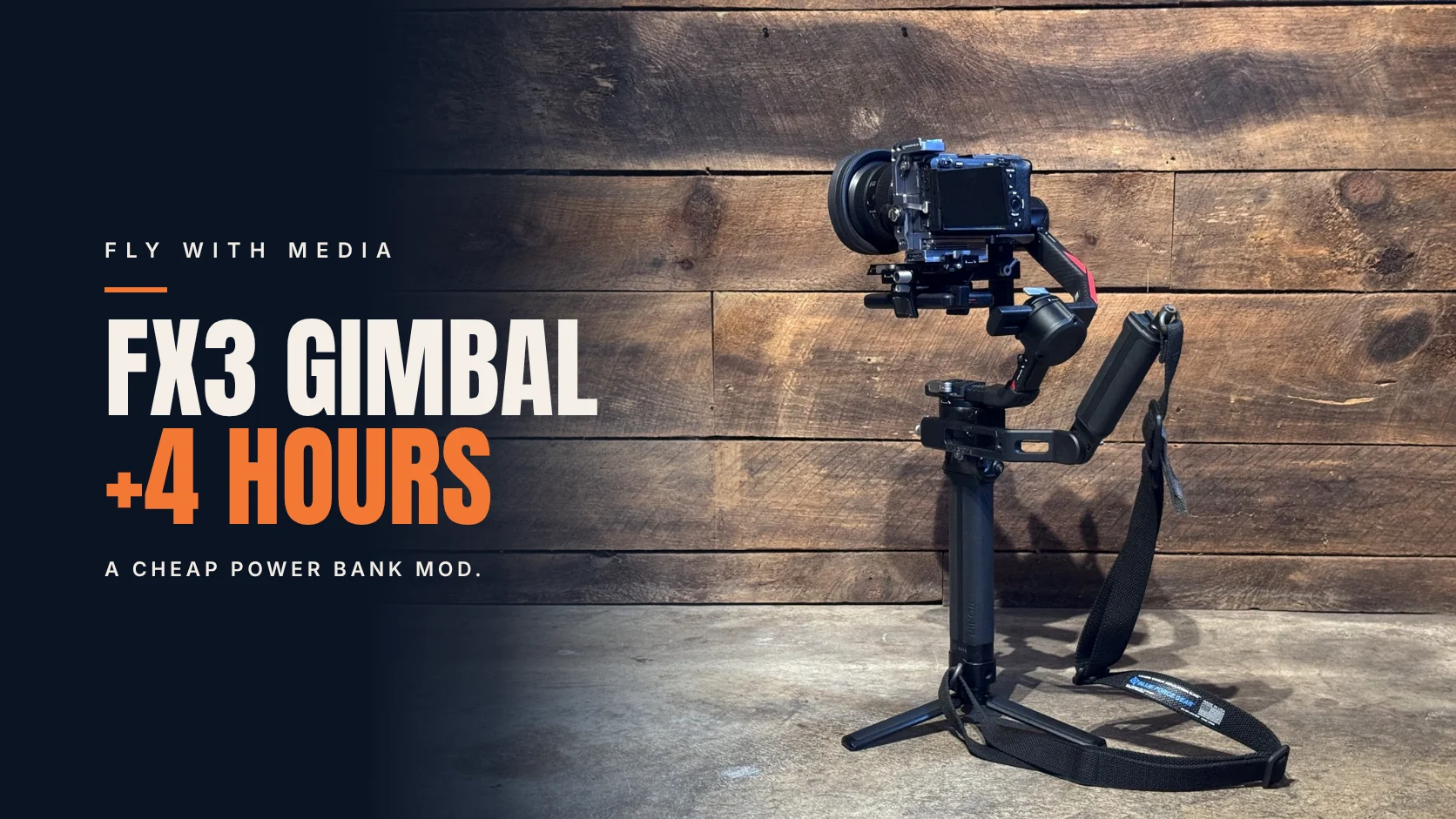
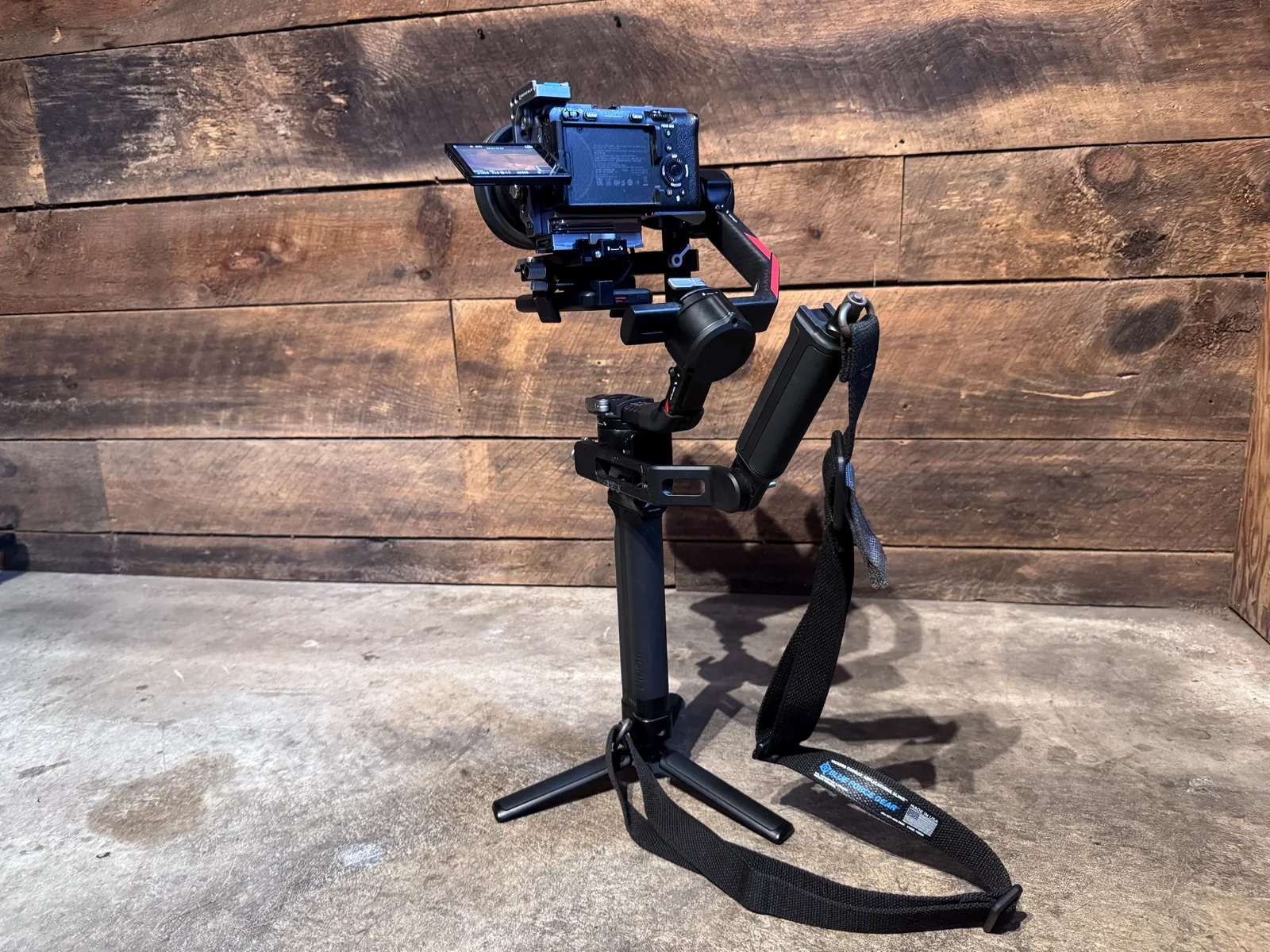
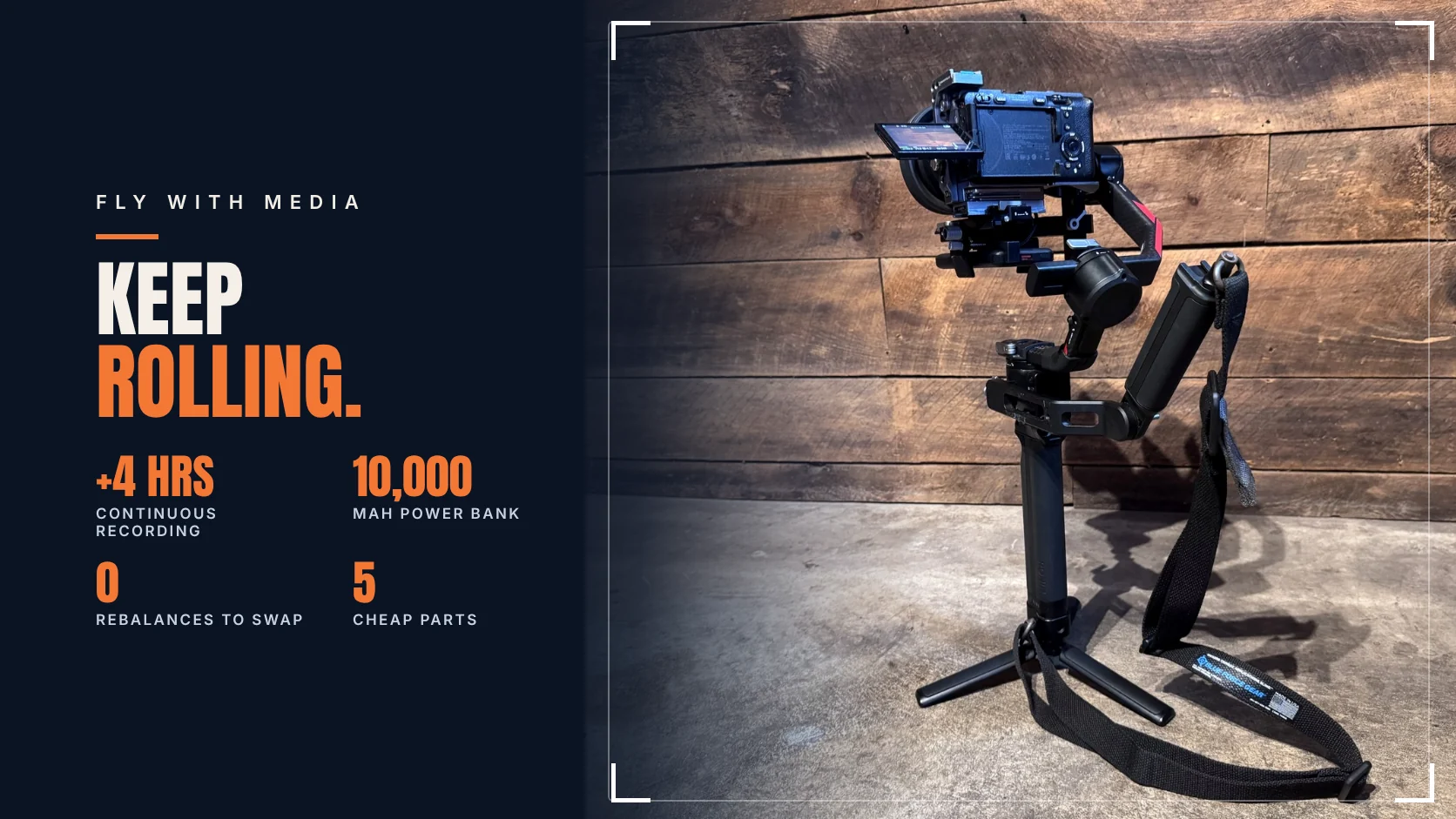
The Sony FX3 is a great gimbal camera until the battery dies mid-take. Swapping an NP-FZ100 on a balanced gimbal means stopping, pulling the camera apart and rebalancing. My fix costs less than a spare Sony battery: a 10,000 mAh USB-C power bank clamped under the camera, plugged straight into the FX3's USB-C port.
In my own testing, recording continuously with a fully charged NP-FZ100 in the camera, the power bank added more than 4 hours of run time. And when it runs low, I swap the power bank, not the camera battery, and the rig stays balanced.
The parts
- Power bank: I use a Miady 10,000 mAh, 20W USB-C PD bank with a % display. It isn't sold anymore, so see "Choosing a power bank" below.
- Clamp: NICEYRIG aluminum power bank clamp (540). It's listed for the DJI RS 2, RS 3 and RS 3 Pro and holds banks 50–88 mm wide. It works on my RS 4 Pro.
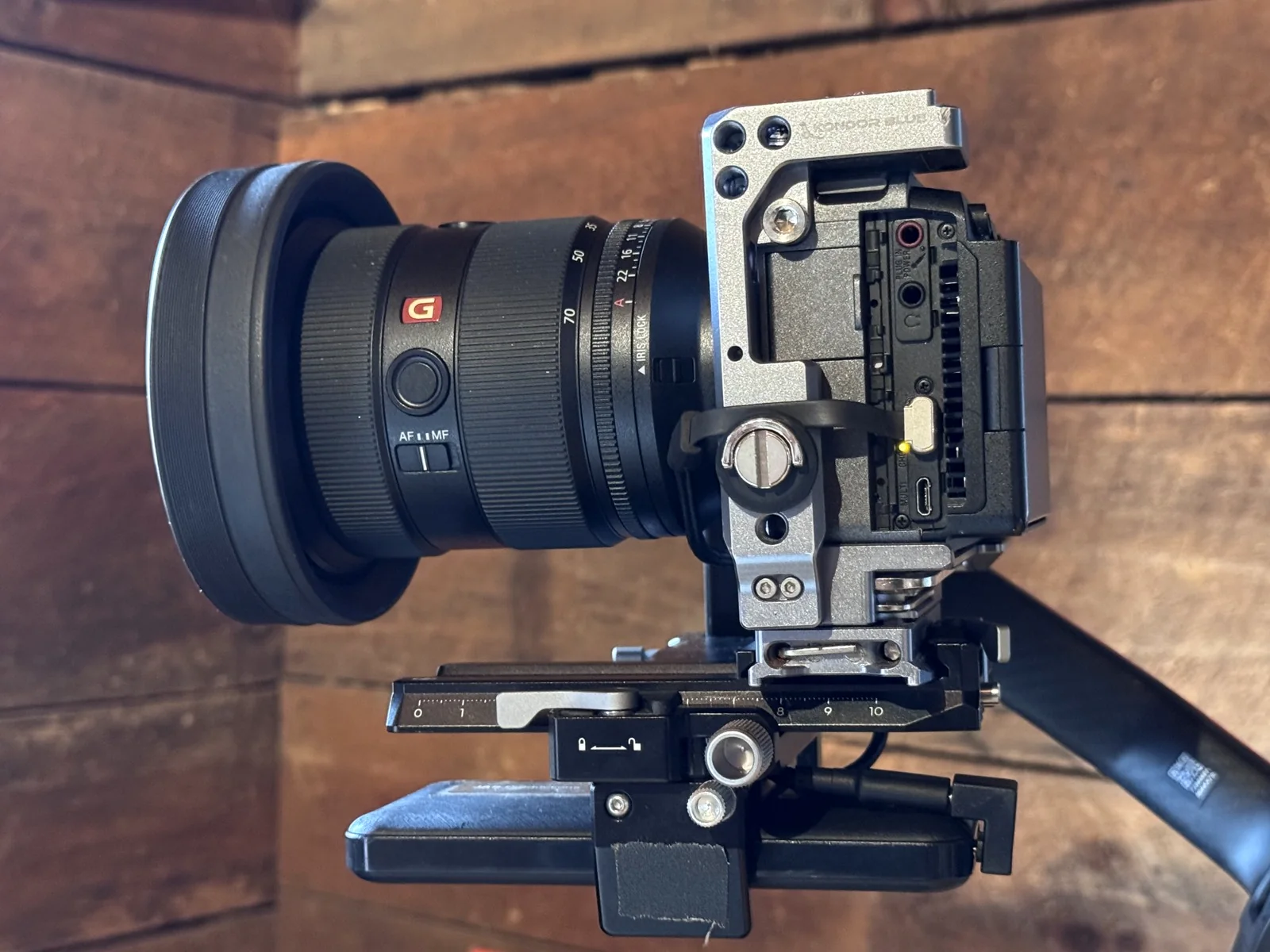
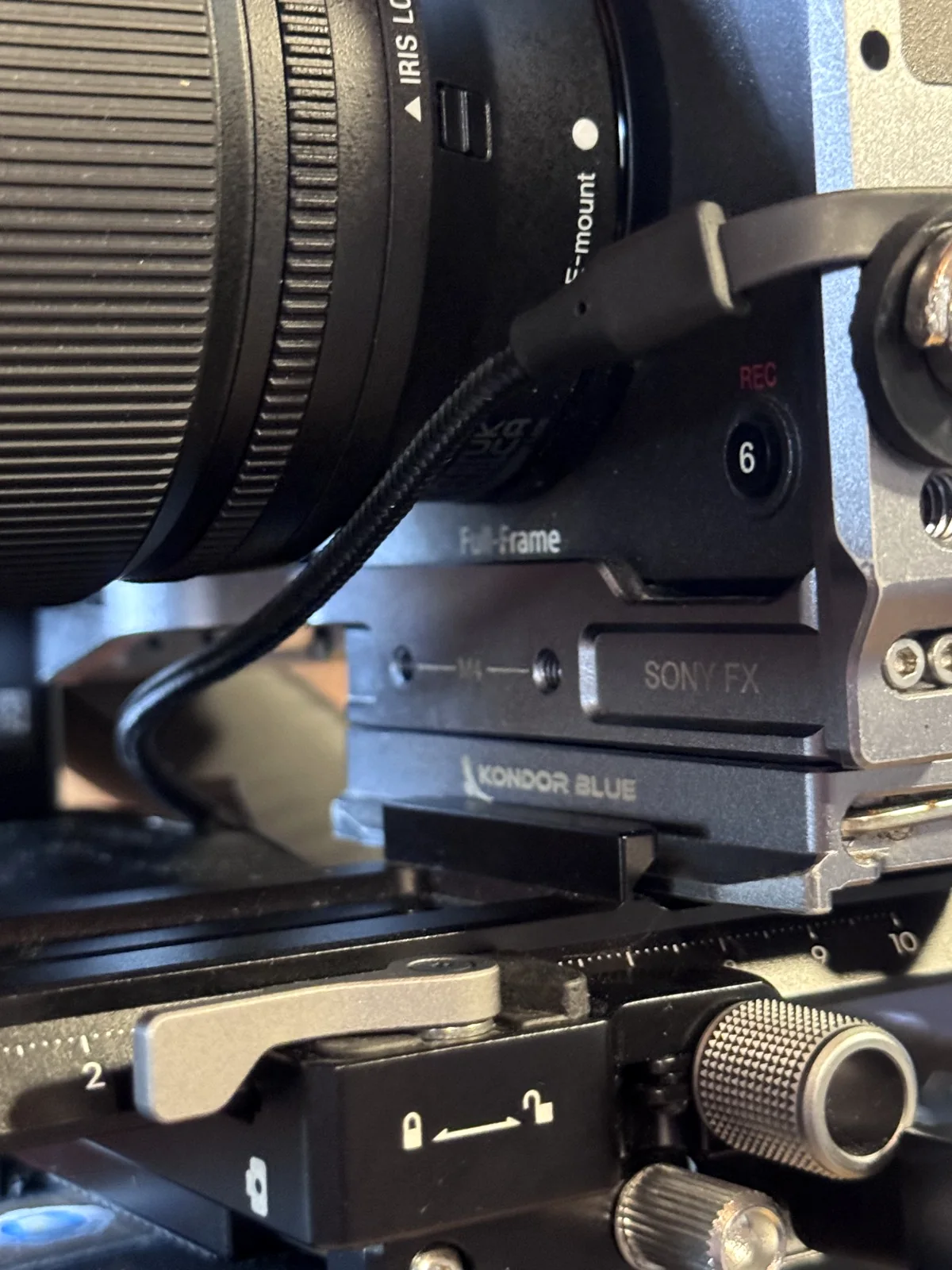
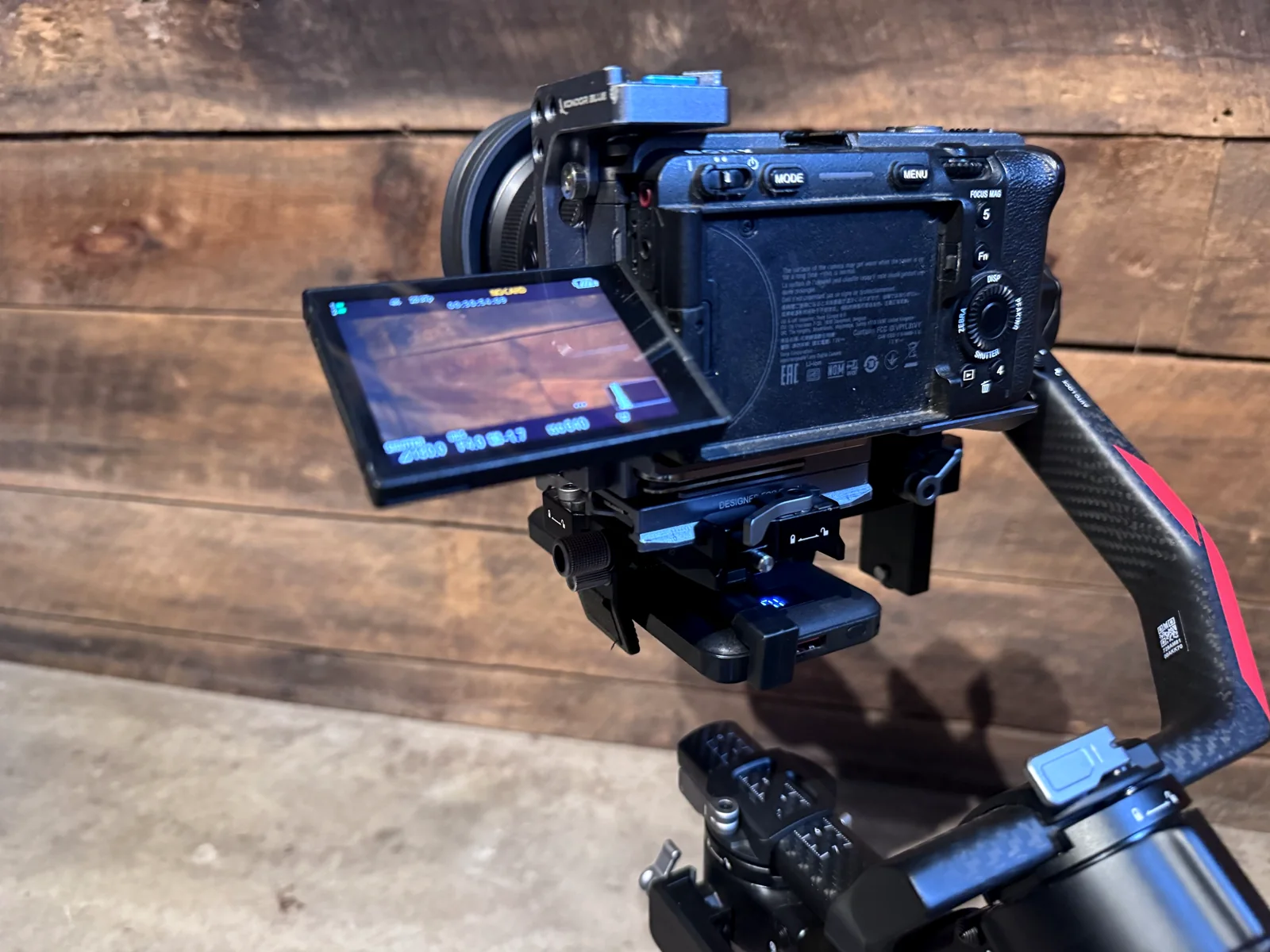
- Cable: a short, flat right-angle USB-C to USB-C cable (1 ft, 90°, 60W). This cable matters more than it looks: the right-angle plug and flat cable stay out of the way of the FX3's flip-out screen, so you can still swivel the monitor. A regular straight USB-C cable sticks out right where the screen needs to move.
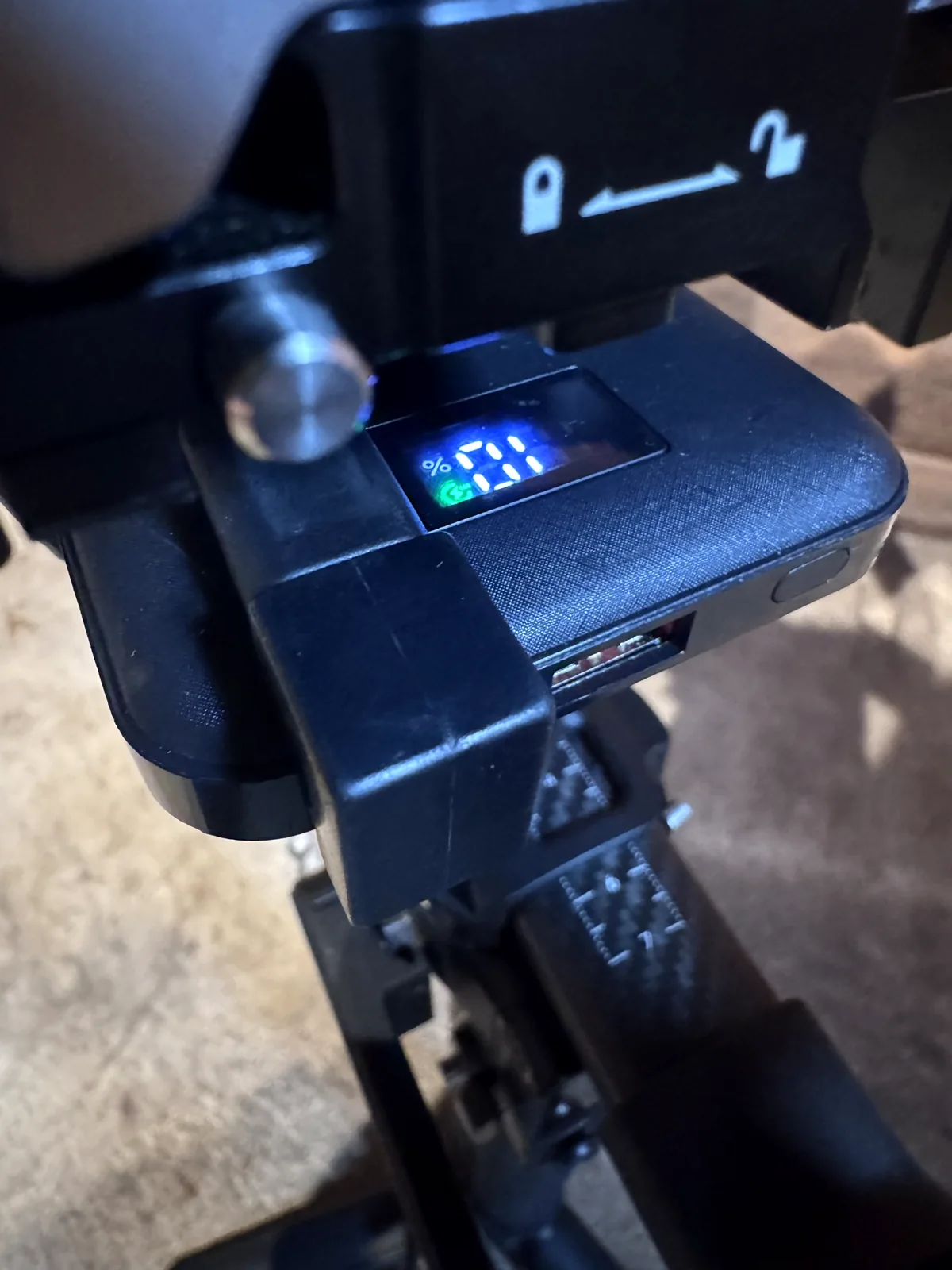
- Adapter: a U-shaped (180°) USB-C adapter. This one fits my power bank's port position so the plug sits flush and the display stays readable. With a different bank, you may need a different adapter or none at all.
- Cable lock: a 1/4"-20 thumb screw and a small rubber washer.
- Already on my rig: Sony FX3, Kondor Blue cage, DJI RS 4 Pro.
Choosing a power bank. My exact bank is discontinued, so you'll be shopping. Look for:
- Enough power: USB-C PD output, ideally 27W or more (see the power note below), and around 10,000 mAh.
- Weight: everything you add is more for the gimbal to carry. Check the weight before you buy.
- Where the USB-C port is: this decides how clean the setup looks. Picture the cable coming out of that port on your rig, then pick an adapter (or none) that keeps it as flush and streamlined as possible. Get creative.
- A good grab point: a flat, regular shape the clamp can hold. Most banks have one.
STEP 1Remove the FX3's port door
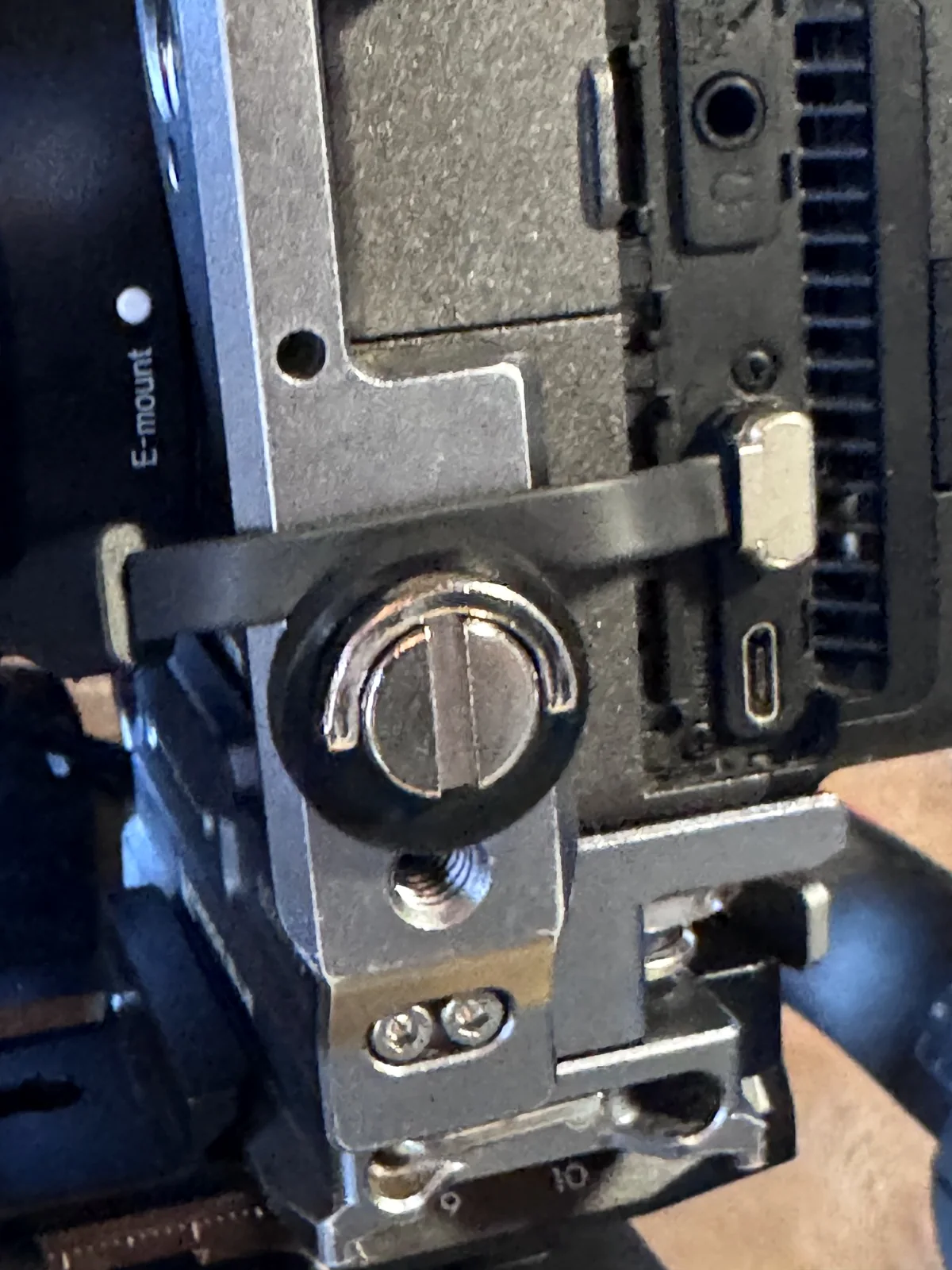
This is personal preference, but I take off the door on the left side of the FX3 that covers the USB-C port. With it gone, the right-angle cable plugs in cleanly and nothing presses against the plug when the gimbal moves. Here's a good walkthrough: How to remove the port doors on the Sony FX3 (YouTube). Keep the door so you can put it back.
STEP 2Plug in and lock the cable
Plug the right-angle end into the FX3's USB-C port. Then lock it down: I thread a 1/4" screw with a rubber washer into the cage right next to the port, so the washer holds the cable in place. The washer grips without crushing. That's the trick: enough pressure to keep the cable from pulling out, not so much that it damages the wire.
Don't overthink the exact spot. That 1/4" hole is just where my Kondor Blue cage happens to have one. Your cage or rig will have its own; any solid grab point near the port does the job.
STEP 3Mount the power bank
Mount the NICEYRIG clamp under the camera plate and slide the power bank in with the display facing you. One honest warning: the clamp is hard to tighten and loosen, but it can be done with the camera on the gimbal.
Gear Toolkit
Plan your gear once. Pack any trip in minutes.
Plan your gear once. Pack any trip in minutes. Free during beta, no account needed to try.
Try the Toolkit free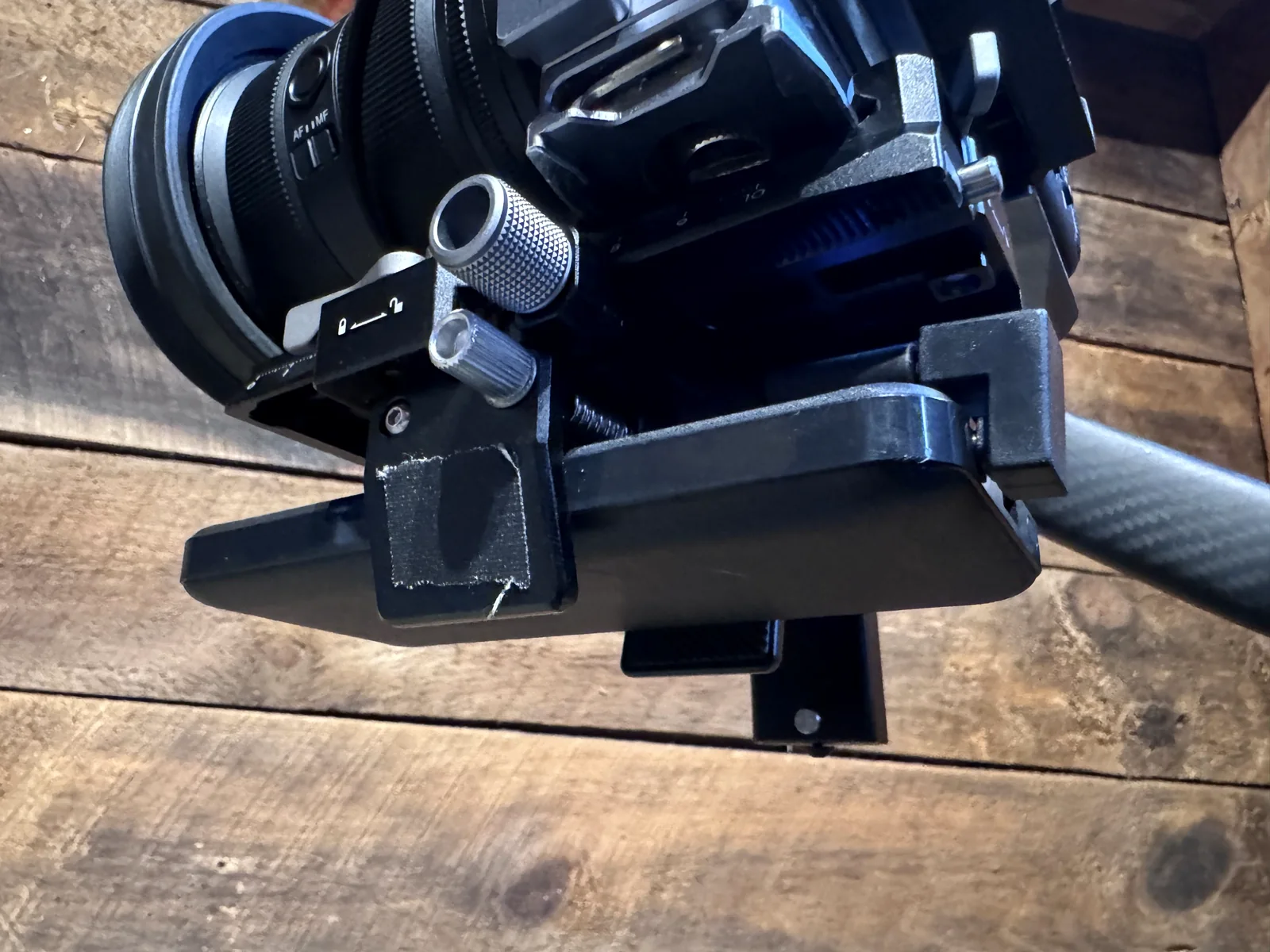
STEP 4Route the cable and plug in flush
Snake the cable from the port down the front of the cage to the power bank, keeping it close to the rig so it can't snag. Before you lock everything down, flip and swivel the monitor through its full range to make sure the cable never blocks it. Finish with the U-shaped adapter, so the plug sits flush and the battery display stays readable while you shoot.
STEP 5Balance and check clearance
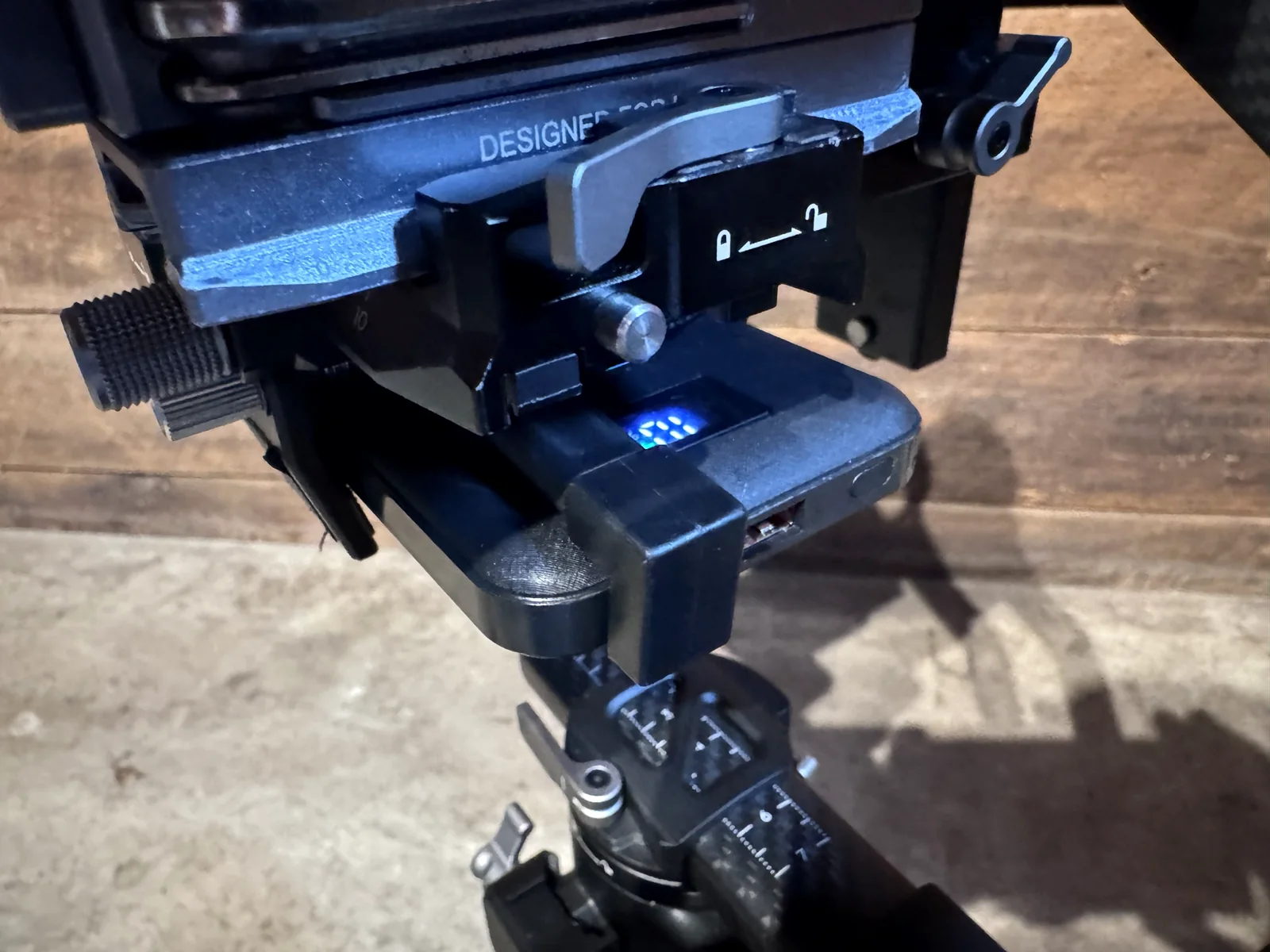
Rebalance the gimbal with the power bank on. Then run the gimbal through its full range of motion and make sure nothing, not the bank, the clamp or the cable, hits the back of the gimbal. Keep everything lined up straight. That's what lets you swap power banks later without rebalancing.
Using it on a shoot
- Keep a charged battery in the camera. Sony says the FX3 won't power on without a battery that has charge in it, and not to remove the battery while running on external power.
- Turn the camera off before you plug in, unplug or swap. Sony's guide says to connect or disconnect the USB cable only with the camera off.
- On breaks, unplug the cable from the power bank. When I break for lunch or put the camera to sleep, I power down and pull the cable from the bottom, so the power bank isn't sitting there charging the camera battery.
- It can pop out. If the rig gets bumped the wrong way, the cable can come loose. Just pop it back in.
- Cables wear out. I'm on my third cable. Treat it well and you'll easily get a year or more out of one; I'm rough with mine.
- Heat: Sony notes the USB port area can get warm and continuous recording time can be shorter depending on temperature.
A note on power
Sony recommends a USB-PD power source with a 9V/3A (27W) output for powering the FX3. My 20W bank has worked for me, but if you're buying new, a 27W-or-higher USB-C PD bank stays within Sony's recommendation. See Sony's FX3 Help Guide on external power.
Flying with this setup
A 10,000 mAh power bank is about 37 Wh, well under the 100 Wh limit, so it can go in your carry-on without airline approval. Like every spare lithium battery and power bank, it can't go in checked bags. Pack it in your carry-on with the camera batteries, and check any battery with our free Battery Assistant.
Product links are for the parts I use. Fly With Media isn't affiliated with these brands, and your rig may need different parts. Follow Sony's instructions for your camera.
Media ID card
Traveling with gear? Carry proof you're a working media professional.
The Fly With Media ID card: $119 for two cards, logo included, valid four years, plus 60 days of Toolkit Pro when the beta ends.
Get your ID card